Beautiful.ai
by Beautiful Slides, Inc.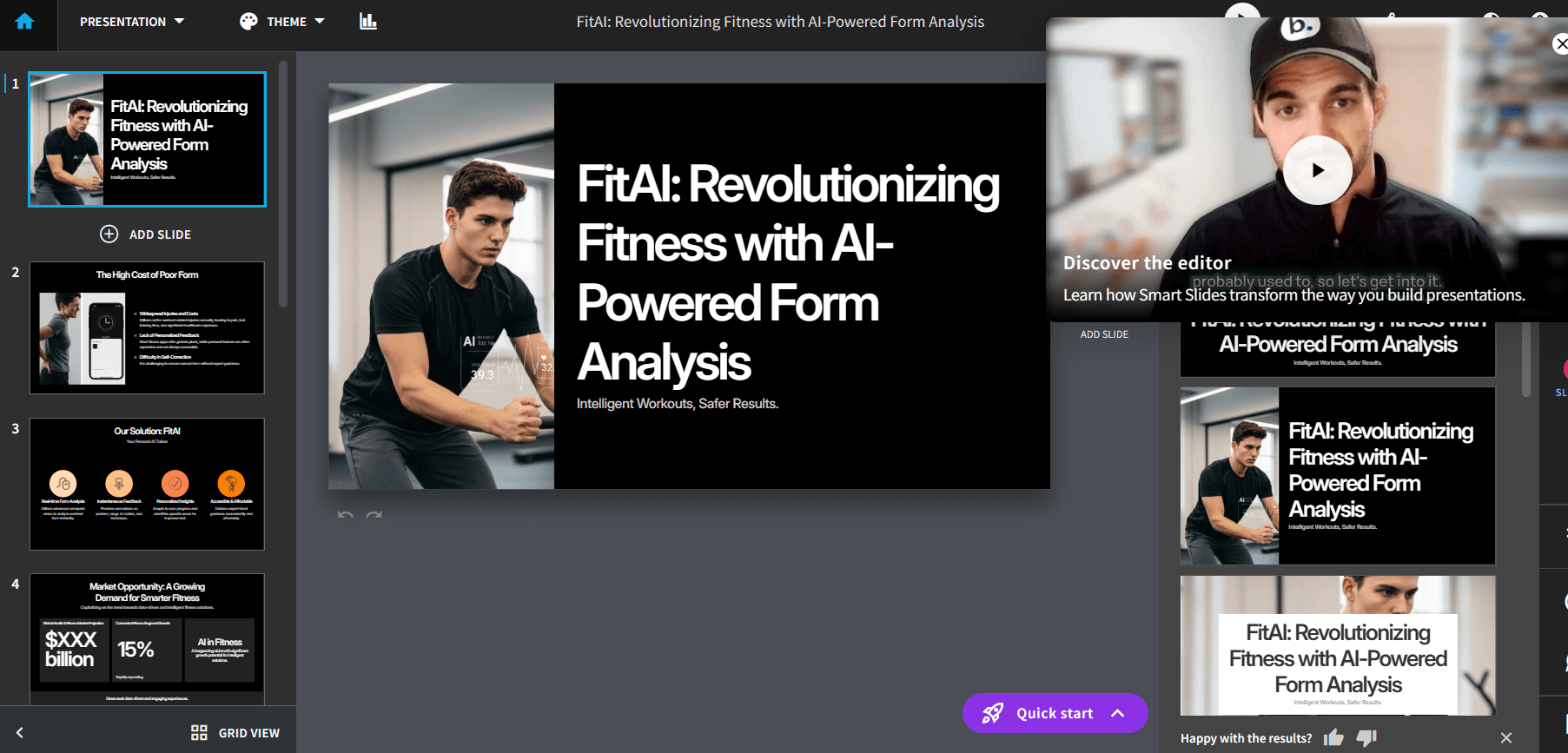
At a glance
Price
$12/user/mo (annual) or $45/user/mo
Free tier
No
Platform
Web, desktop player
Best for
Polished business deck first drafts
Learning curve
Easy
Last update
2026-03-25
Our take
Editorial verdict · We Did The Homework
Verdict
Beautiful.ai is excellent at producing polished first-pass decks quickly, especially for users who care about visual quality and in-editor control. In our testing, the major weakness was prompt-based revision after generation, which forced manual edits for meaningful changes.
First impressions
Beautiful.ai is one of the easiest tools we tested to get a boardroom-looking deck from a single prompt. The strongest part of the experience was the guided flow: prompt, editable outline, then full deck generation. That structure made it easy to catch weak slide sequencing early, and the first output looked polished enough to present internally without a heavy cleanup pass. Design quality was a clear standout in our run — layouts were clean, spacing held up, and the visual hierarchy looked intentional.
In-editor control
In-editor control was also better than expected. The UI feels a bit old school, but day-to-day usability was strong. We could modify text formatting, icon replacement, image styling, placement, slide-level animation effects, and theme colors. We also got strong asset flexibility: upload your own files, pull from stock libraries, or generate fresh AI images in the editor. Beautiful.ai can produce a very strong draft and still give experienced users enough control to push the deck further without rebuilding from scratch.
The weak spot
The weak spot was not subtle. Prompt-based modification after first generation performed poorly in our testing and scored 1/5. Once the initial deck existed, conversational revision did not behave like a reliable editing copilot. We had to switch to manual edits for meaningful changes. Content quality was also mixed — the writing was usable but generic, and it often lacked specific data density. The design engine can make mediocre copy look better than it is, so you still need an editorial pass before external use.
Export & pricing
Export results were strong in our run, with PPT, PDF, and Google Slides options available. But the product's own documentation still warns that animations and audio do not carry into PowerPoint, and broader user reports flag occasional fidelity issues on complex decks. Pricing is another friction point — there is no permanent free plan, and the 14-day trial requires a credit card with auto-charge risk if you forget to cancel.
Our call
Compared with category leaders focused on AI iteration, Beautiful.ai is better thought of as a design-first production system with AI-assisted drafting, not a true conversational deck editor. If your main goal is a polished first draft plus strong manual control, it is one of the best options in this category. If your main goal is iterative prompt refinement after generation, it falls behind quickly.
What stands out
Prompt-to-outline-to-deck workflow
You can edit the outline before generation, which reduces first-draft randomness and improves deck structure early.
Smart Slide auto-layout engine
Slides stay visually consistent with strong spacing and hierarchy, even when content density changes during editing.
Deep manual customization controls
The editor supports detailed control over text, icons, images, themes, and animation choices, which is rare in AI deck tools.
Integrated asset ecosystem
You can combine uploaded assets, stock media, and AI-generated visuals in one workflow without leaving the editor.
Broad export and sharing paths
Export to PPT, PDF, and Google Slides is built in, and shareable presentation workflows are straightforward.
Pros & cons
Pros
Cons
Who it's for
Pricing
Pro
$12/user/mo (annual) or $45/user/mo
- Unlimited AI content generation
- Smart Slides and custom branding
- PPT/PPTX and PDF export
- Core analytics and presentation workflows
Team
$40/user/mo (annual) or $50/user/mo
- Shared libraries and team collaboration
- Version history and locked slides
- Advanced permissions and admin controls
- Team analytics and centralized billing
Enterprise
Custom
- SSO/SAML and SCIM
- Audit logs and advanced governance
- Onboarding, training, and priority support
- Enterprise security and compliance controls
Education
Free for 1 year (.edu verification)
- Annual Pro plan for eligible students
- Full-feature presentation creation
- Smart Slides and branding controls
- Standard export and sharing workflows
Limitations to know
Bottom line
Get this if you want polished deck design fast and are comfortable doing manual refinement. Skip it if you expect strong AI-led revisions after the first generation.