Plus AI
by Plus Docs, Inc.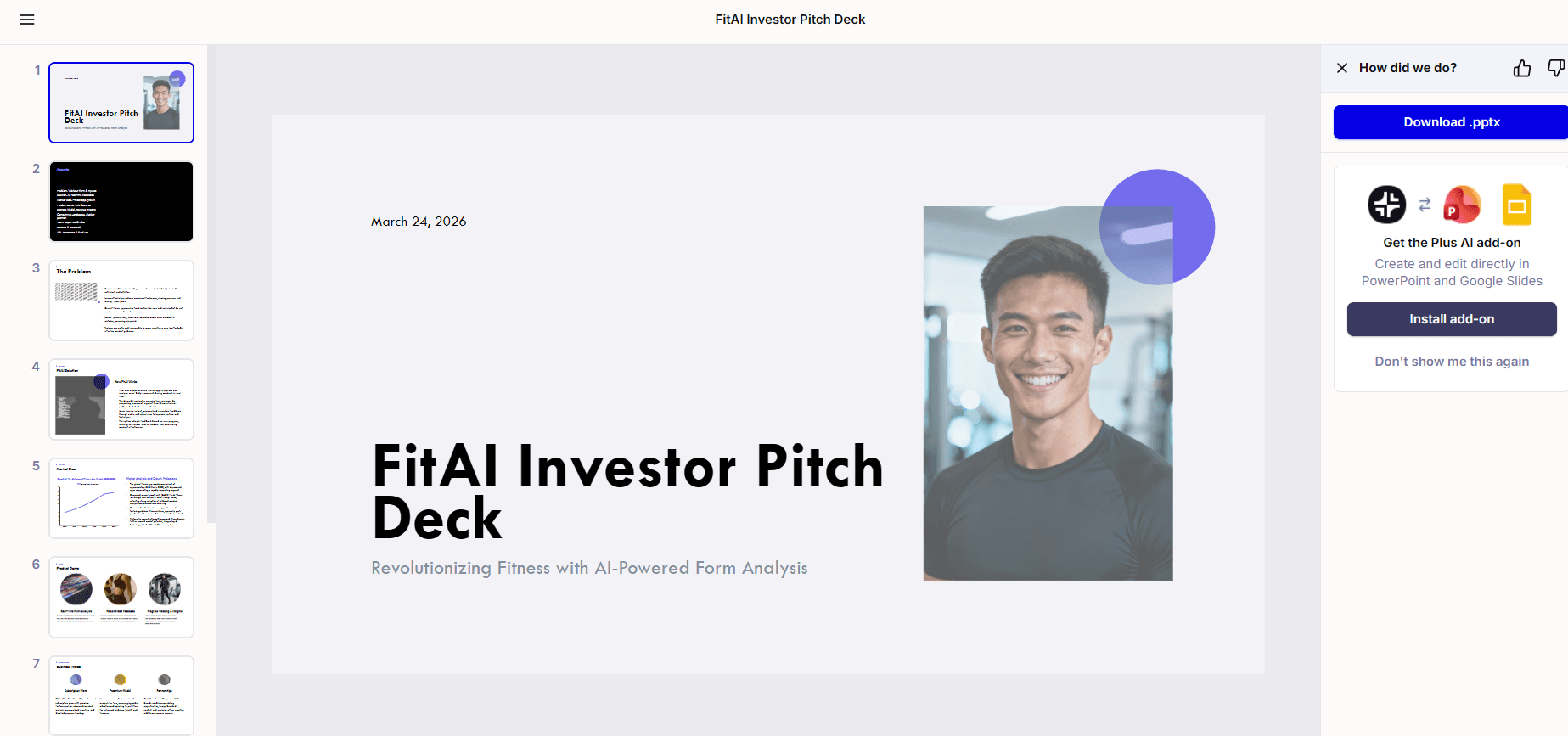
At a glance
Price
7-day trial
Free tier
No
Platform
Google Slides add-on, PowerPoint add-in, Web
Best for
Native Slides or PowerPoint drafting
Learning curve
Easy
Last update
2026-03-25
Our take
Editorial verdict · We Did The Homework
Verdict
Plus AI is attractive if you only care about generating a quick draft inside Google Slides or PowerPoint. In our testing, the output quality and editing limits were serious enough that we would not recommend it as a primary deck tool.
The promise
Plus AI has a clear promise: stay inside Google Slides or PowerPoint and let AI do the first draft. We like that direction. A lot of teams do not want another standalone presentation app, and Plus AI meets them where they already work. In our run, setup was simple, the add-in flow was straightforward, and outline editing before generation gave us at least one useful control point before the deck was created. It also moved fast — we scored speed 5/5.
Output quality
The problem is output quality. Our generated deck looked mediocre and unprofessional compared with better tools in this category. We scored design quality 2/5 and visuals 2/5 because layout choices felt rough and graphics usage was thin. Content landed in the middle at 3/5, but only because it was usable as a rough draft — it still read generic and lacked useful data depth. Slide variety was one of the few bright spots at 4/5, so Plus AI can produce different structures, but variety did not translate into strong polish.
AI editing
Editing after generation was the biggest failure in our testing. We scored prompt-based modification and context awareness 1/5. After the first generation, we could not rely on follow-up prompting to refine the deck in a controlled way. Most meaningful changes required manual editing in the host app. That defeats a core reason people pay for an AI deck tool in the first place. Customization also scored 1/5 in our run because options were limited beyond rerunning prompts and manually fixing slides.
Pricing friction
Pricing and trust friction make this harder to justify. There is no true free tier, only a seven-day trial that requires a credit card and rolls into paid billing unless canceled. Fast generation alone is not enough when you still need substantial cleanup and cannot depend on iterative AI edits.
Our call
Compared with category leaders, Plus AI feels like a workflow convenience layer rather than a complete presentation engine. If your only goal is to get a quick skeleton deck inside Slides or PowerPoint, it can help. If you need client-ready quality with reliable AI revision loops, it falls short. We would use it for early drafting only, and we would not choose it as our default tool for serious presentation work.
What stands out
Native Google Slides and PowerPoint workflow
Plus AI runs as an add-in where teams already build decks, so adoption is easier for organizations that do not want a separate presentation platform.
Outline-first generation
You can edit the outline before full generation, which gives basic control over deck structure before committing to a draft.
Very fast first draft
In our run, generation speed was one of its strongest traits and made it useful for rough deck starts under time pressure.
Multiple image sourcing modes
The workflow offers AI-generated, web-search, and stock image options, giving you different routes to populate visuals quickly.
Host-app manual control
Because output lands in native slide tools, teams can fall back to familiar manual editing when AI revisions do not cooperate.
Pros & cons
Pros
Cons
Who it's for
Pricing
Free Trial
7-day trial
- Temporary access to paid plans
- Google Slides and PowerPoint add-ins
- AI generation during trial window
Basic
$10/user/mo (annual) or $15/user/mo
- Unlimited AI generation and editing
- Works in Google Slides and PowerPoint
- Core prompt-to-presentation workflow
Pro
$20/user/mo (annual) or $25/user/mo
- Longer prompt limits
- File upload to presentation generation
- Everything in Basic
Team
Contact sales
- Custom branding and shared presets
- Shared custom instructions
- Team collaboration controls
Limitations to know
Bottom line
Get Plus AI only if native Slides or PowerPoint drafting speed is your top priority. Skip it if you need polished output and dependable AI revisions after generation.