Cursor
by Anysphere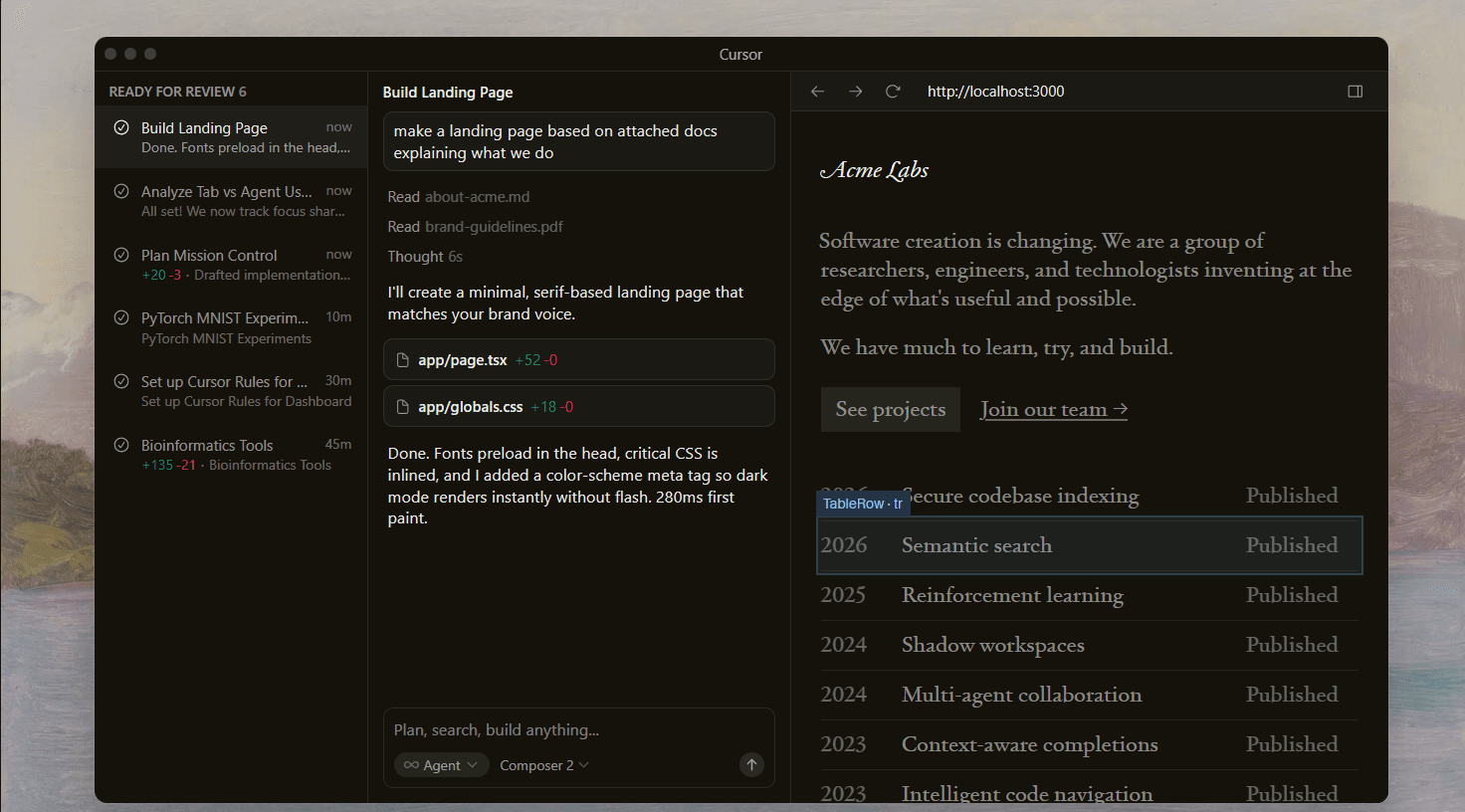
At a glance
Price
$20/mo
Free tier
Yes
Platform
Desktop app (VS Code fork), JetBrains IDEs, CLI, Web
Best for
IDE-native AI coding
Learning curve
Easy
Last update
2026-03-22
Our take
Editorial verdict · We Did The Homework
Verdict
The most fully featured AI coding IDE. Cursor's tab completion and next-edit prediction are still the best in the category. The multi-model menu gives you flexibility no other IDE matches. The agent stack has grown fast. Watch the usage bill.
The rise
Cursor launched as a VS Code fork built by four MIT students. It's now a $29.3 billion company doing over $2 billion in annual revenue. The pace of output in 2026 alone makes the growth feel believable: auto-context gathering, a full CLI, Debug Mode, Plan Mode, a Visual Editor, JetBrains integration, Cloud Agents, Automations, and the proprietary Composer 2 model, all shipped between January and March. Cursor doesn't release quarterly. It releases weekly.
Tab completion
The tab completion is still the thing. Cursor's proprietary model predicts not just the next token but where your cursor should move after you accept a suggestion. Sounds like a minor quality-of-life feature. In practice, it cuts the mechanical part of refactoring noticeably. Accept a change, Tab jumps to the next logical edit point. Accept again. It becomes a rhythm. No other tool in this comparison offers that.
Multi-model flexibility
The multi-model menu is also genuinely useful in ways that sound like marketing until you actually use it. We switched between Composer 2 for routine boilerplate and Claude Sonnet for a gnarly debugging session in the same editing session, and the context carried over cleanly. The Composer 2 model, Cursor's own frontier-level model, runs at $0.50/$2.50 per million tokens. Efficient enough to use as a default without budget anxiety.
Where it struggled
Where the tool struggled was on longer autonomous tasks. On an eight-file refactor, the agent twice edited files we hadn't referenced in the prompt. One removed a utility function used in six other places. The checkpoint system caught it before damage was done, but the error shouldn't have happened. Claude Code doesn't make that class of mistake with the same frequency on comparable work. The Debug Mode also sounds more autonomous than it is — it still requires manual bug reproduction and multiple log-and-restart cycles.
The pricing problem
The pricing situation is the other honest problem. The June 2025 overhaul replaced fixed fast-request allotments with usage-based credit pools, effectively cutting Pro plan Claude-model requests from roughly 500 per month to about 225. A Hacker News user documented $350 in overage charges in a single week. The CEO issued a public apology and processed refunds. But on-demand billing still enables by default once credits are exhausted, with no obvious warning. Cursor is the right choice if you spend most of your working day inside an editor and can tolerate a usage bill that needs monitoring. It's the wrong call if your team needs regulatory compliance or terminal-first autonomous workflows.
What stands out
Next-Edit Tab Completion
Cursor's proprietary completion model predicts not just the next token but where your cursor should move after you accept a suggestion. It turns tab completion from autocomplete into a full editing rhythm — meaningfully faster than standard suggestions.
Multi-Model Flexibility
Access 20+ models from Anthropic, OpenAI, Google, xAI, and Moonshot — plus Cursor's proprietary Composer 2 — from a single interface. Switch mid-task without losing context. No other IDE-based tool comes close to this breadth.
Plan Mode
Before touching any code, the agent researches your codebase, asks clarifying questions, and produces an editable Markdown plan with file paths and code references. You can modify the plan, remove steps, or spin selected to-dos into separate agents before execution begins.
Cloud Agents
Fully remote agents that clone your repository, work on isolated branches in cloud VMs, and push changes back. Trigger them from the IDE, CLI, Slack, GitHub PR comments, or Linear issues — making Cursor usable as a lightweight CI/CD-adjacent automation layer.
Automations
Always-on agents that run on schedules or respond to events from Slack, Linear, GitHub, or PagerDuty. They can learn from previous runs via memory tools, enabling repeatable workflows like automated code review or incident triage.
Debug Mode
Rather than asking you to describe a bug, Debug Mode injects logging statements into your code, analyzes runtime output, generates fix hypotheses, and iterates toward a solution. It is the most structured debugging workflow in any AI coding tool, though it still requires manual reproduction steps.
Pros & cons
Pros
Cons
Who it's for
Pricing
Hobby
$0
- Limited agent requests
- Limited tab completions
- Access to slower model tier
Pro
$20/mo
- $20 included API credits
- Frontier model access (Claude, GPT, Gemini)
- MCPs, Skills, Hooks, Cloud Agents
- Unlimited tab completions
Pro+
$60/mo
- $70 included API credits
- 3x usage on all OpenAI, Claude, and Gemini models
- Everything in Pro
Ultra
$200/mo
- $400 included API credits
- 20x usage limits
- Priority access to new features
- Everything in Pro+
Teams
$40/user/mo
- Shared rules, chats, and commands
- Centralized billing and usage analytics
- RBAC and SAML/OIDC SSO
- Privacy mode controls
Enterprise
Custom
- Pooled usage across team
- SCIM 2.0 provisioning
- AI code tracking API and audit logs
- Granular admin and model controls
- Invoice/PO billing
Limitations to know
Bottom line
Choose Cursor if you want the best AI coding IDE available and can accept variable monthly costs. Skip it if you need enterprise compliance, predictable billing, or the kind of deep parallel autonomy that terminal-first tools handle better.