GitHub Copilot
by GitHub / Microsoft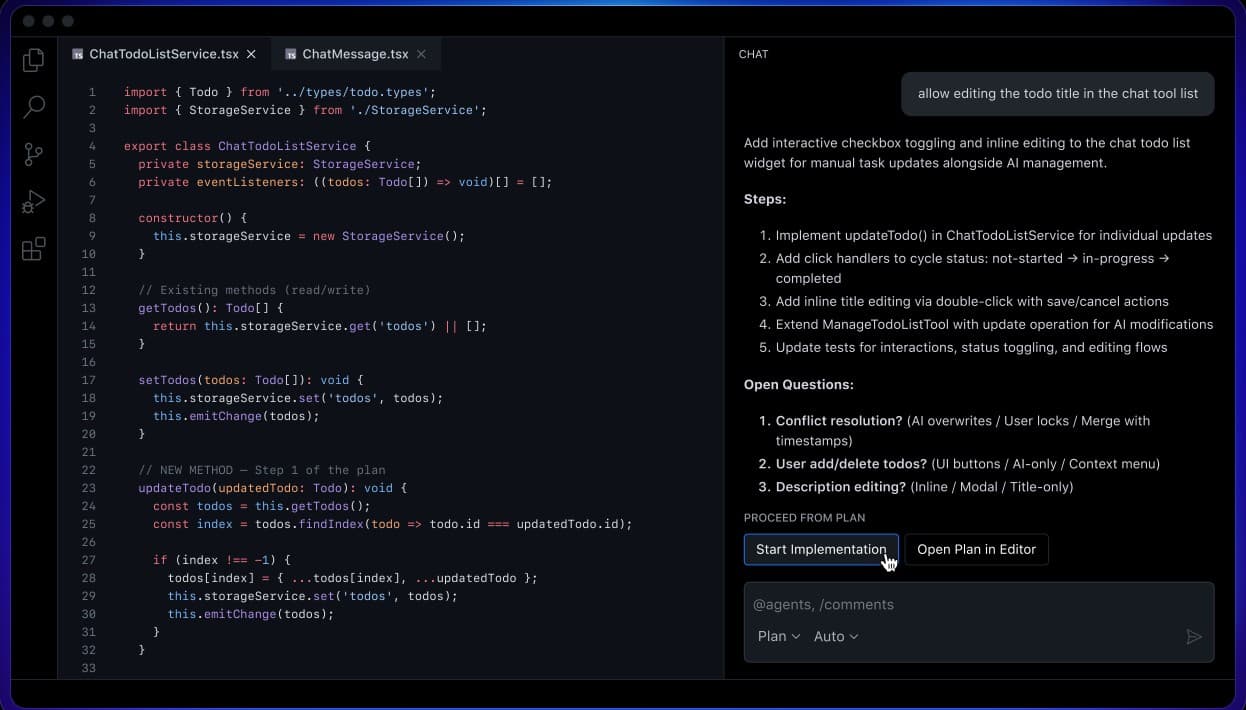
At a glance
Price
$10/mo
Free tier
Yes
Platform
IDE extension (VS Code, JetBrains, Neovim, Vim, Xcode, Eclipse), CLI, Web, Mobile
Best for
GitHub-centric teams on a budget
Learning curve
Easy
Last update
2026-03-22
Our take
Editorial verdict · We Did The Homework
Verdict
The best value in AI coding. Copilot covers the 80% of daily coding tasks at half the price of competitors, works across every IDE you already use, and ships the strongest compliance stack in the category. It's not the deepest agentic tool — but for most developers, it doesn't need to be.
Market reach
GitHub Copilot is four years old and still the most widely deployed AI coding tool on the market. That staying power comes from one thing: it's everywhere. VS Code, JetBrains, Neovim, Vim, Visual Studio, Xcode, Eclipse, the terminal, GitHub.com, and GitHub Mobile. All from a single subscription. If your team runs across different IDEs, Copilot is the only option that reaches everyone without asking anyone to switch editors.
Completions
The inline completions remain excellent. Near-instant, context-aware, and accurate for mainstream languages and frameworks. Next Edit Suggestions, currently in public preview, predicts where your cursor should jump after an edit based on your recent changes. We used it through a TypeScript refactoring session. It was right about 70% of the time. That's useful enough to change how you move through a file.
The coding agent
The coding agent is more capable than it first looks. Assign a GitHub issue to Copilot and it spins up an ephemeral Actions VM, clones your repo, analyzes the codebase, implements the fix, runs self-review with CodeQL and secret scanning, and opens a draft PR. We gave it a well-scoped bug fix with a clear reproduction path. It came back with a PR that included tests and passed its own review. The safety model — where it can't merge or access main directly — is the right call.
Where it falls short
Where Copilot falls short is complex work. A multi-file refactor spanning ten files produced structural mistakes that Cursor and Claude Code handled correctly. Copilot is strongest on bounded, well-defined tasks: boilerplate generation, unit test scaffolding, API route creation. When the task requires understanding architectural implications across a codebase, the limits show. The 300 premium request cap on Pro is also a real constraint — we burned through it in six days of moderate agent usage.
Enterprise compliance
The most underappreciated part of the Copilot story is enterprise procurement. SOC 2 Type 2, ISO 27001, IP indemnification, and audit logging don't make headlines. They're the reason Copilot ends up in organizations that would otherwise choose a more capable tool. The compliance story clears procurement when other tools don't. For many engineering orgs, that's the only argument that matters.
Our call
Copilot is the right starting point for developers who want AI assistance without disrupting their existing workflow. It's not the strongest tool for complex agentic work — Cursor and Claude Code both beat it there. What it offers instead is the lowest-friction path into AI-assisted coding, a compliance stack that travels through any enterprise procurement process, and a GitHub integration deep enough to feel native rather than plugged in.
What stands out
Copilot Coding Agent
Assign a GitHub issue to Copilot and it spins up an ephemeral Actions VM, clones your repo, analyzes the codebase via RAG, implements the fix, runs self-review with CodeQL and secret scanning, and opens a draft PR. It is fully autonomous but sandboxed — it cannot merge or access main directly.
Copilot CLI
A terminal-native coding agent that reached GA in February 2026. Plan mode builds structured implementation plans before coding, Autopilot mode runs without approval gates, and /fleet parallelizes work across subagents. Full MCP support and session memory across turns.
Universal IDE Support
Works in VS Code, JetBrains, Neovim, Vim, Visual Studio, Xcode, Eclipse, Azure Data Studio, GitHub.com, and GitHub Mobile. No other AI coding tool runs across this many surfaces from a single subscription.
Agentic Code Review
Rebuilt on a tool-calling architecture in March 2026, the code review agent gathers broader repository context to surface actionable feedback. 71% of reviews produce actionable comments, with 60 million reviews completed to date.
Copilot Spaces
Curated context containers where you organize code, docs, specs, and other content to ground Copilot's responses. Replaces the older knowledge bases with auto-updating, role-based shareable collections that improve suggestion relevance for your specific project.
Next Edit Suggestions
A custom model predicts the next logical edit based on your recent changes and shows an arrow indicator in the gutter. Available in VS Code, JetBrains, Xcode, and Eclipse. Turns inline completion from reactive to proactive editing.
Pros & cons
Pros
Cons
Who it's for
Pricing
Free
$0
- 2,000 completions/month
- 50 chat messages/month
- 50 premium requests/month
- Copilot CLI access
- Claude Haiku 4.5 model only
Pro
$10/mo
- Unlimited completions and chat
- 300 premium requests/month
- All models (Claude, GPT, Gemini)
- Agent mode, coding agent, code review
- Copilot Memory
Pro+
$39/mo
- 1,500 premium requests/month
- All models including fast-mode Opus
- GitHub Spark access
- Everything in Pro
Business
$19/seat/mo
- 300 premium requests/user/month
- Organization policy management
- IP indemnification
- Audit logging and SSO
Enterprise
$39/seat/mo
- 1,000 premium requests/user/month
- All models including fast-mode Opus
- GitHub Spark and custom agents
- SAML SSO, audit logging, data residency options
- SOC 2 Type 2 and ISO 27001 compliance
Limitations to know
Bottom line
Choose Copilot if you want accessible, broad-reach AI assistance at the best price in the market, especially if your team runs on GitHub and needs enterprise compliance. Skip it if you need deep agentic autonomy for complex multi-file work. Cursor and Claude Code both handle that significantly better.